How to create an open project?
This is an addition to the "How to launch a project?" quick guide, for the case when you want to launch your project without any unnecessary attributes in the URL. This is what we call an "open" project.
When you get to the step of configuring the sample you simply need to remove any parameters from the sample source that you'll use for the project. Please make sure to publish the changes.
Here is an example of the setup:
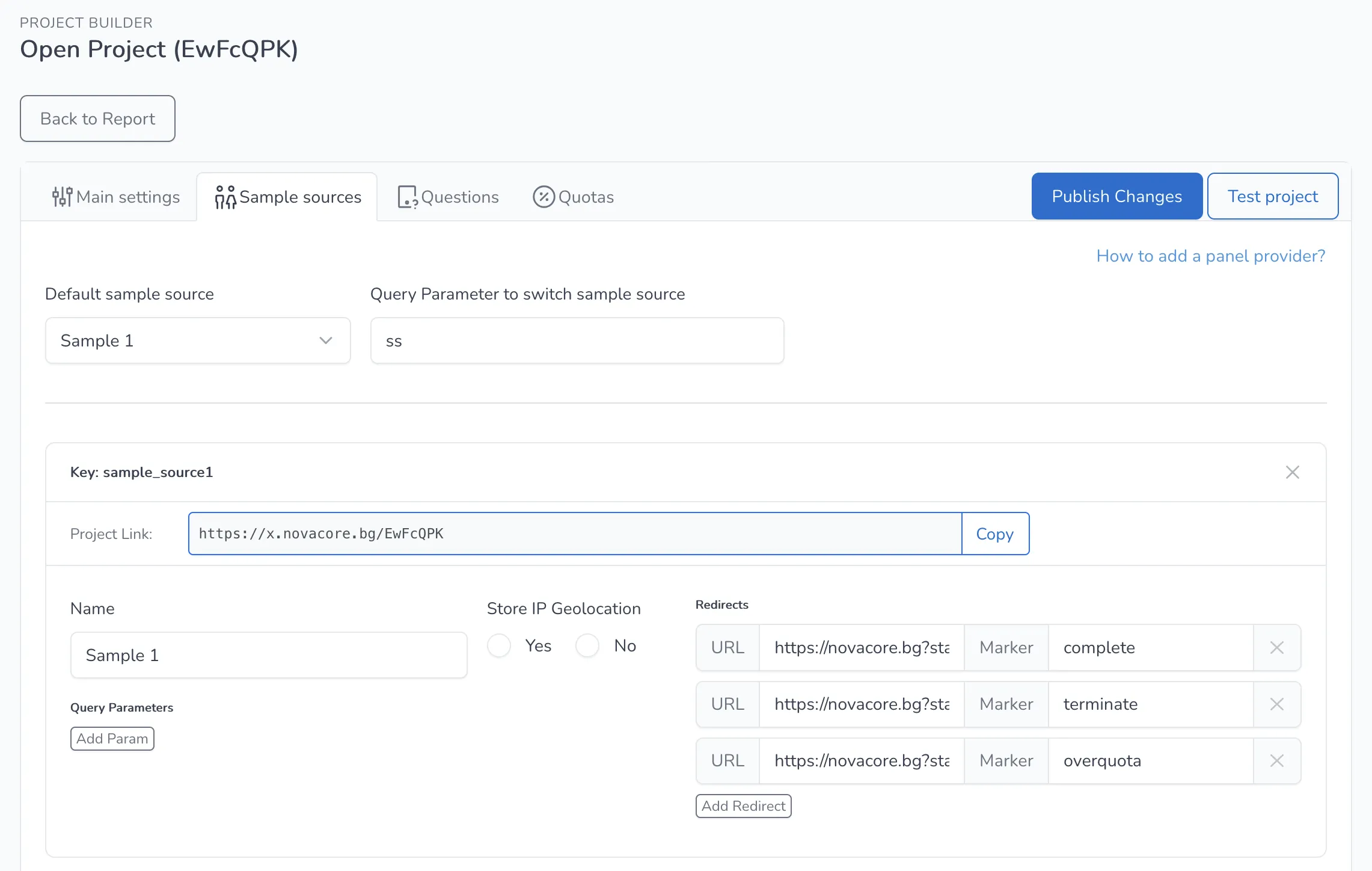
Once this is done, the respondents will be able to complete the project without the need of any attributes, just the clean URL of the project.
Please keep in mind that each respondent will be able to fill in the project multiple times with this setup. Their data also won't be stored if they leave the URL and decide to open it again at a later point.